$0
Added cost. Website Analytics is included with any active Digital Advertising package.
Included with your Digital Advertising
Website Analytics now comes free with any active RealtyAds Digital Advertising package. One line of code turns the traffic you already pay for into named, scored leasing intelligence.
It's on your account today. Roughly half of eligible sites aren't firing it yet.
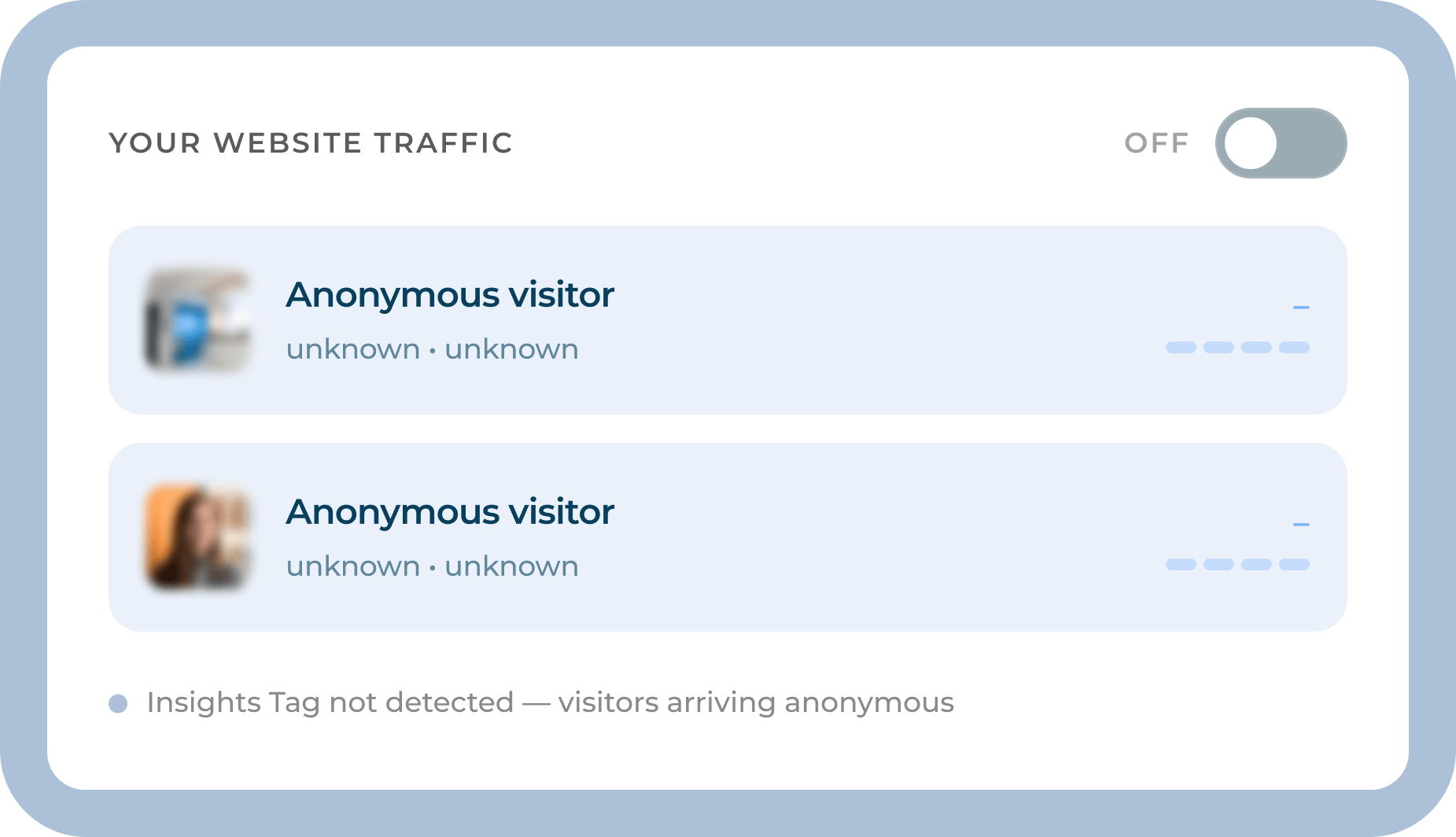
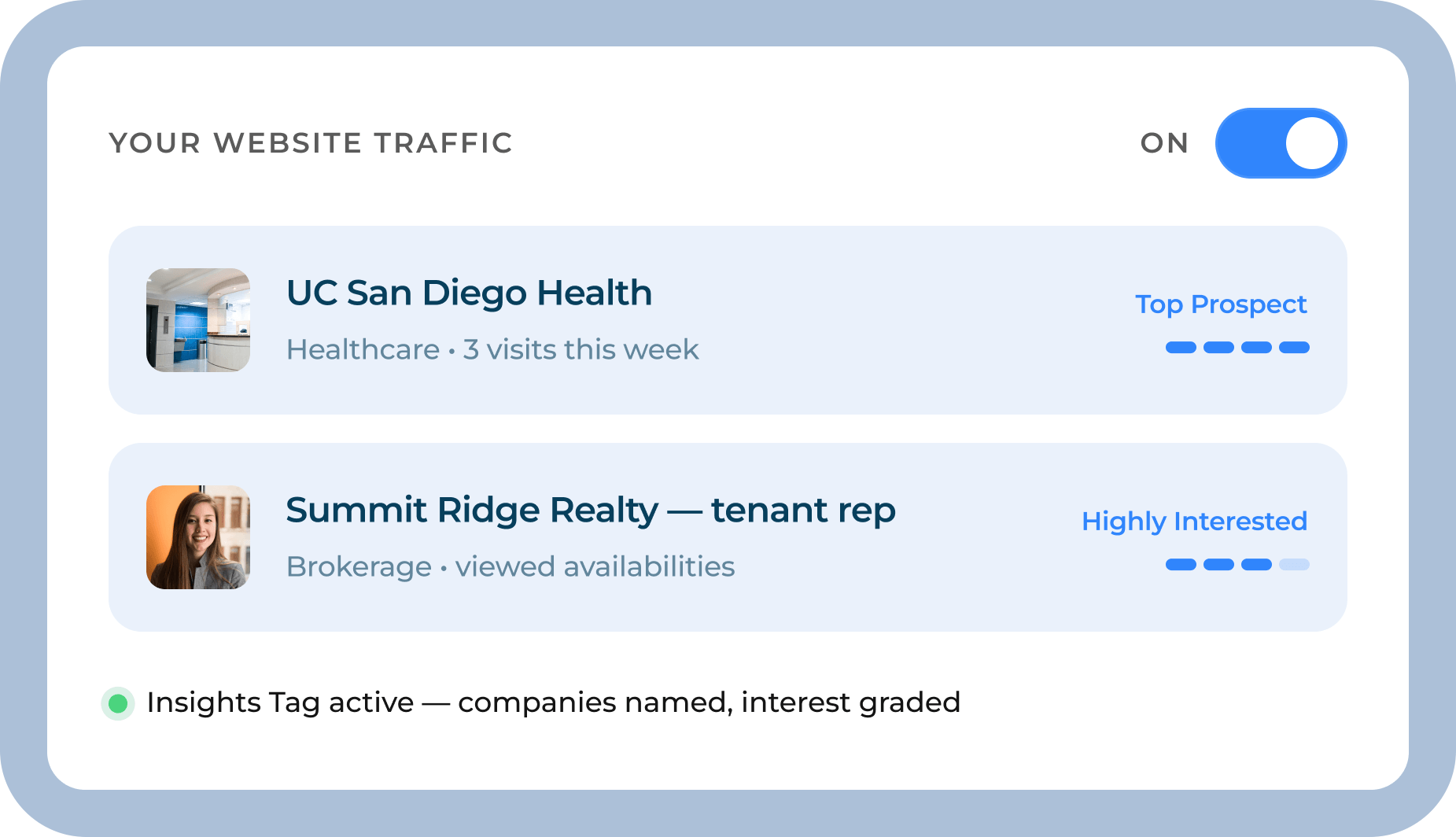
What changed
Every property running a RealtyAds Digital Advertising package now has Website Analytics — the entry package in our Website Services line — included at no extra cost. Nothing new to purchase. One thing left to switch on.
$0
Added cost. Website Analytics is included with any active Digital Advertising package.
50%
Of eligible properties haven't installed the Insights Tag yet — so their leasing signal is invisible.
1 line
Of code is all it takes to switch it on. Install it, forward it, or ask us to handle it.
What it is
Most CRE websites get measured like content: sessions, bounce rate, time on page. That tells you how many people showed up. It never tells you who.
Website Analytics reads the traffic your ads already drive and answers the questions that actually move a deal: which companies visited, how serious they are, and what your team should do about it today.
It's the entry package of RealtyAds Website Services — the foundation the rest of the line builds on.

The Google Analytics contrast
Google Analytics counts visitors. The RealtyAds Insights Tag names them, scores them, and tells your team what to do next.
Remarketing runs on the RealtyAds Digital Advertising package you're already paying for — nothing extra to buy.
Why switch it on
See the actual firms and individuals touring your availabilities — up to five of each — not an anonymous count.
Every visiting firm is ranked from Researching to Top Prospect, so your team knows who to call first.
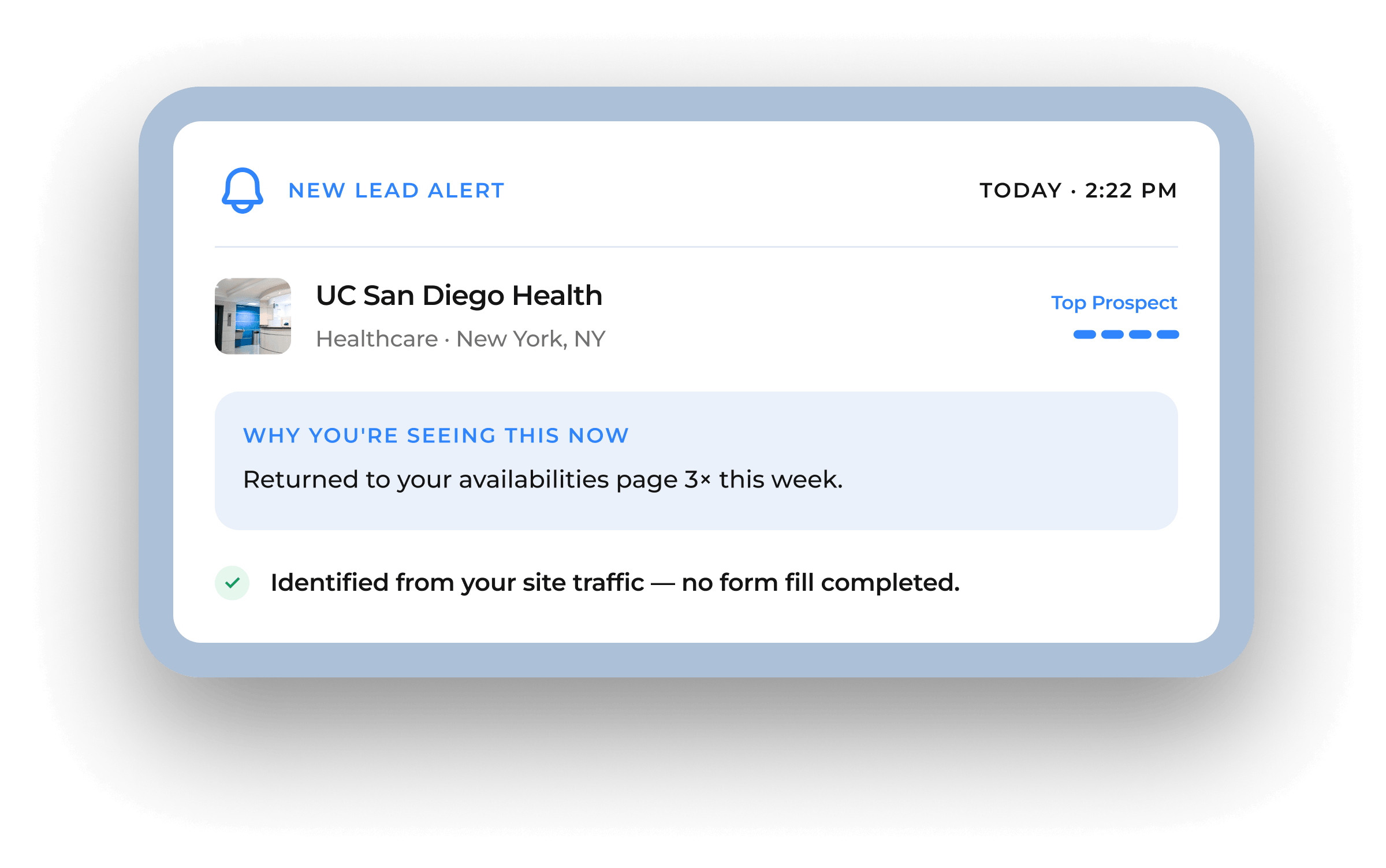
Leasing and marketing get notified the moment a qualified company shows intent — even when no form is filled out.
Re-engage your top prospects across the internet, powered by the campaign you're already running.
Traffic, sources, top pages, device and location — the full analytics baseline, in real time.
Reporting tuned exclusively for commercial real estate, not generic web traffic.
Lead alerts
Most qualified visitors never complete a form — but that doesn't mean they aren't in-market. Once the Insights Tag identifies a company, RealtyAds sends a Lead Alert to leasing and marketing the moment intent shows up. No form fill required.
Every alert carries an interest level, so your team knows exactly who to call first.
Switch it on
It's one line of code, placed once. Here's exactly how it works — do it yourself, hand it to your web vendor, or ask us.
Log in to your RealtyAds reporting dashboard and open the Insights Tag panel.
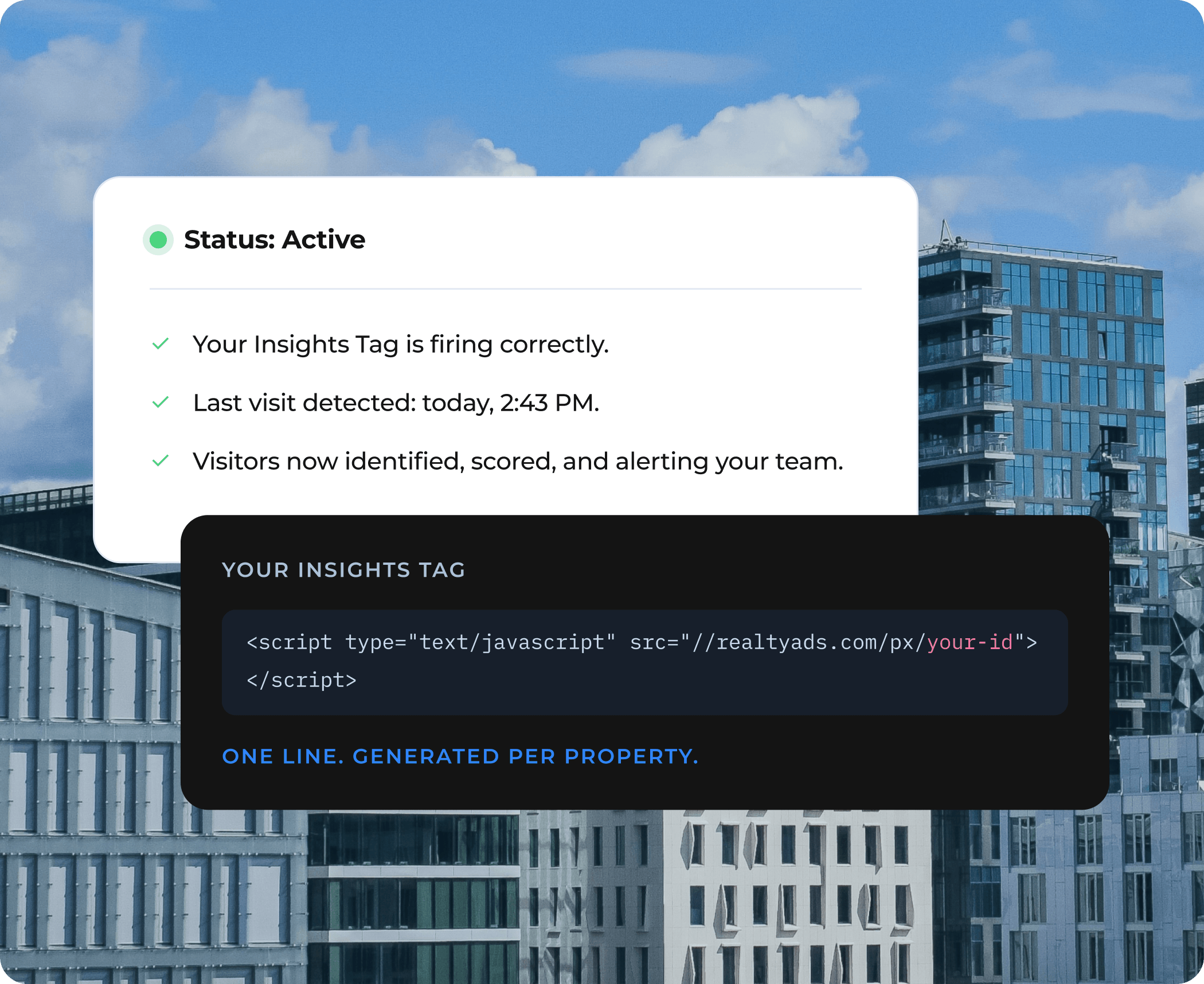
Choose the account the tag is for. RealtyAds generates a tag unique to that property.
Paste the single line of code before the closing </head> tag on every page of your site.
The panel flips to Active as soon as it detects your first visit — no guesswork.
01
Grab your tag from the dashboard and drop it in before </head>. No developer required.
Get your tag →02
Send the tag and these steps to whoever manages your site, and cc RealtyAds — we'll confirm it's firing.
Forward the instructions →03
Prefer to hand it off? Reply to your RealtyAds contact and we'll take it from here.
Request activation →
The traffic is already arriving. The only question is whether you can see who's behind it.